
How to purchase add-ons?
Bizplanr offers flexible add-ons that allow you to scale your workspace as your business grows. You can purchase additional Team Member add-ons and AI Credits at any time directly from your account.
Team Member add-ons are available as a one-time lifetime purchase, giving you permanent access for the added members. AI Credits, on the other hand, work as a top-up system. Each workspace includes 1,000 free AI credits at the time of purchase, and you can buy additional credits whenever they run out.
This guide walks you through how to purchase extra members and AI credit top-ups from your account.
Steps to purchase Member add-ons and AI Credits
- 1
-
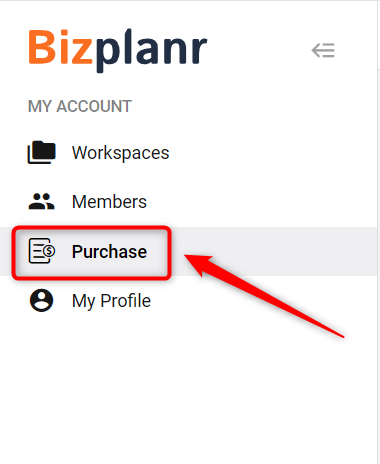
Log in to your Bizplanr account and click on the Purchase section from the left-hand sidebar.
- 2
-
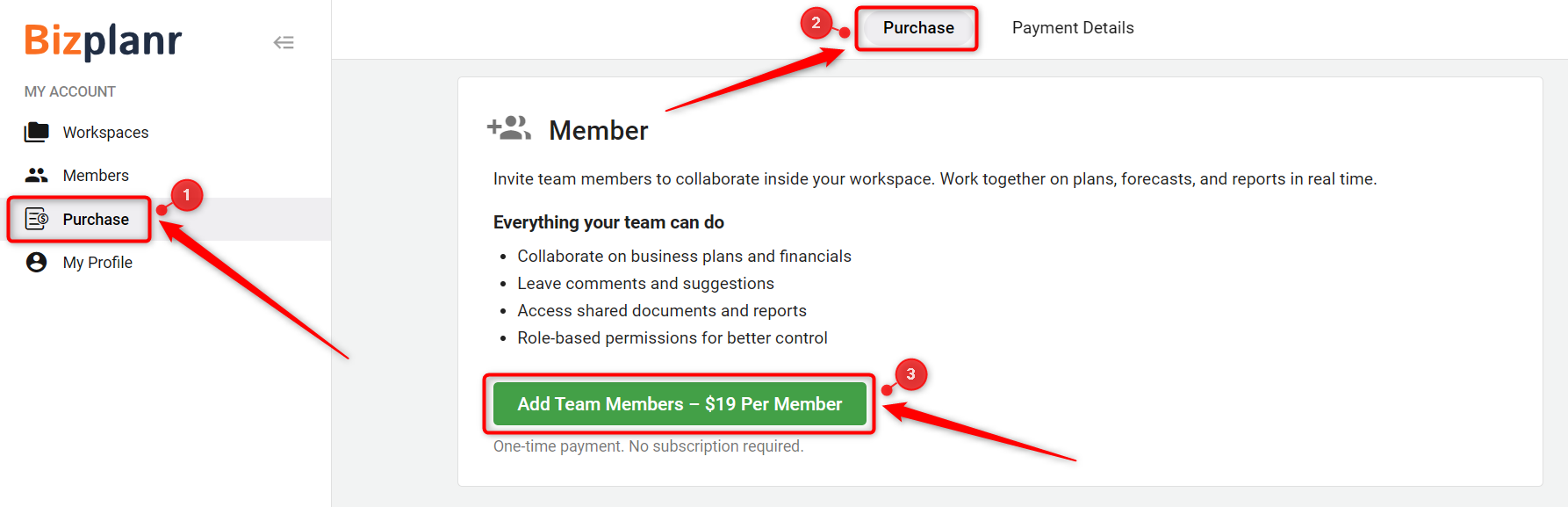
To add additional users, locate the Member section.
Click on Add Team Members – $19 Per Member.
This is a one-time lifetime payment. No recurring subscription is required for added members.
- 3
-
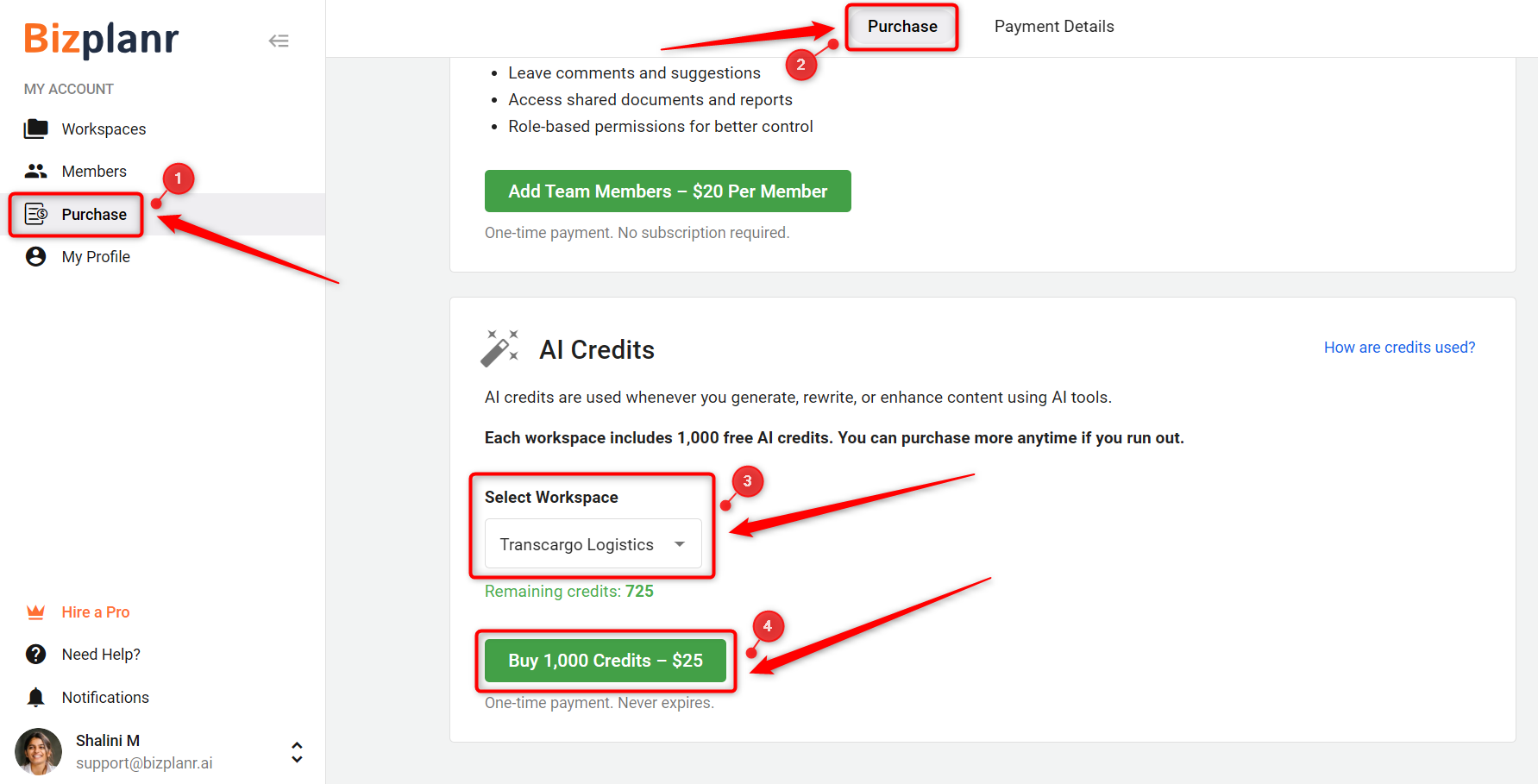
To purchase additional AI credits, scroll down to the AI Credits section.
Select the appropriate Workspace from the dropdown menu.
Click on Buy 1,000 Credits – $25 to top up your credits.
- 4
-
Complete the payment process by entering your payment details and confirming the purchase.
Once successful, your member access or AI credits will be updated instantly.
TIP: Each new workspace automatically includes 1,000 free AI credits at the time of purchase.
NOTE: AI credits function as a top-up system. Once your credits are used, you will need to purchase additional credits to continue using AI-powered features.
To understand how AI credits are calculated and used across features, you can visit How AI Credits Work in Bizplanr.
By purchasing member add-ons and AI credit top-ups as needed, you can easily scale collaboration and AI capabilities within your workspace without affecting your existing plan.